
Video interviews have become a normal part of the hiring process. Instead of sitting across from an interviewer in an office, you might be answering questions from your bedroom, living room, or even a quiet corner of your home. It sounds easier, right? In some ways, it is. But there are still plenty of things that can go wrong.
A weak internet connection, noisy background, poor lighting, or even forgetting to check your camera can quickly make you look unprepared. The good news is that most of these problems are easy to avoid.
Whether you’re using online resources to หางาน or getting ready to สมัครงาน for a position you’re excited about, a little preparation can make your video interview feel much more comfortable.
Choose the Right Place for Your Interview
Start by finding a quiet, clean space where you won’t be interrupted. You don’t need a perfect home office. A simple desk or table in a calm room is usually enough.
Pay attention to what’s visible behind you. A messy bed, piles of laundry, or distracting decorations can take attention away from the conversation. If possible, choose a plain wall or a tidy background.
Also, let the people you live with know about your interview ahead of time. Ask them not to interrupt you during the scheduled time. Don’t forget about pets, either. Your dog making a surprise appearance might be funny, but it probably isn’t the impression you’re trying to make.
Test Your Technology Beforehand
Technical problems are one of the biggest sources of stress during a video interview. Don’t wait until five minutes before the interview to discover that your microphone doesn’t work.
Test your camera, microphone, speakers, and internet connection at least a day before the interview. Open the video platform you’ll be using and make sure you know how to join the meeting.
It’s also smart to keep your device plugged into power. If you’re using a laptop, a low battery warning appearing halfway through an important answer is the last thing you need.
Have your phone nearby in case the interviewer needs to contact you, but put it on silent during the interview.
Check Your Lighting and Camera Position
Good lighting can make a surprisingly big difference. Try to sit facing a window or another light source rather than having bright light behind you. Backlighting can make your face appear dark on camera.
Your camera should also be roughly at eye level. If you’re using a laptop, placing it on a few books can help raise the camera to a more natural position.
Before the interview begins, check what the camera actually sees. You might discover that you’re sitting too close, too far away, or slightly off-center.
Dress Like You’re Going to an In-Person Interview
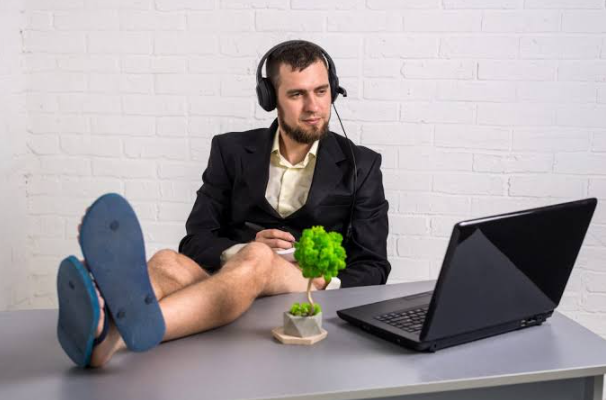
Just because you’re at home doesn’t mean you should dress casually.
Choose an outfit that’s appropriate for the job and company. In most cases, a clean, simple professional outfit is a safe choice. Even if the interviewer will only see you from the waist up, getting fully dressed can help you mentally switch into interview mode.
Avoid clothing with distracting patterns, especially if your camera quality isn’t great. You want the interviewer focused on what you’re saying, not trying to figure out what’s happening on your shirt.
Prepare for Common Interview Questions
A video interview still requires the same preparation as an in-person interview. Research the company, understand the role, and think about examples from your previous experience.
Prepare answers for common questions such as:
- Tell me about yourself.
- Why are you interested in this position?
- What are your strengths?
- What is an achievement you’re proud of?
- Tell me about a challenge you faced at work.
- Why should we hire you?
Don’t memorize every answer word for word. That can make you sound stiff and unnatural. Instead, make a few notes with key points you want to mention.
Practice Speaking to the Camera
Talking to a camera can feel strange at first. You’re not getting the same facial reactions and body language you’d normally see in person.
Practice answering a few questions while recording yourself. Watch the recording afterward and pay attention to your speaking speed, eye contact, posture, and tone.
Try to look at the camera when you’re speaking instead of constantly watching your own image on the screen. It can feel unnatural initially, but it creates better eye contact with the interviewer.
And remember to smile occasionally. You don’t need to force it, but a friendly expression can make you appear more confident and approachable.
Keep Your Notes Simple
It’s perfectly fine to keep a few notes nearby during a video interview. Just don’t turn them into a full script.
A small list containing the job requirements, a few achievements, questions for the interviewer, and important details about the company can be useful. Keep the notes close to the camera so you don’t have to constantly look away.
You should also have your resume available. The interviewer may ask about a specific project, responsibility, or achievement, and having the details in front of you can help you answer accurately.
Prepare a Backup Plan
Even after testing everything, technology can fail. Your internet may suddenly become unstable, or the video platform could stop cooperating.
Have a backup plan. Keep your phone charged and know whether you can switch to mobile data if necessary. If the connection drops, don’t panic. Rejoin the meeting as quickly as possible or contact the interviewer if needed.
Staying calm during a technical problem can actually show good problem-solving skills.
End the Interview Strongly
When the interview is coming to an end, don’t simply say goodbye and leave. Thank the interviewer for their time and show genuine interest in the opportunity.
You can also ask a thoughtful question about the role, team, company culture, or next steps in the hiring process.
A strong final impression matters. After all, an interview isn’t only about answering questions. It’s also your chance to show how you’d communicate and work with other people.
Final Thoughts
Preparing for a video interview at home doesn’t have to be complicated. Choose a quiet space, test your technology, check your lighting, dress appropriately, and practice your answers. Most importantly, give yourself enough time to prepare instead of rushing at the last minute.
A little preparation can help you feel calmer, communicate more clearly, and focus on what really matters: showing the interviewer why you’re a great fit for the job.